CMP App
The CMP App provides an interface to conduct connectivity management, mapping the connectivity status for devices, active devices and other initiatives. CMP App is an app within the App Center.
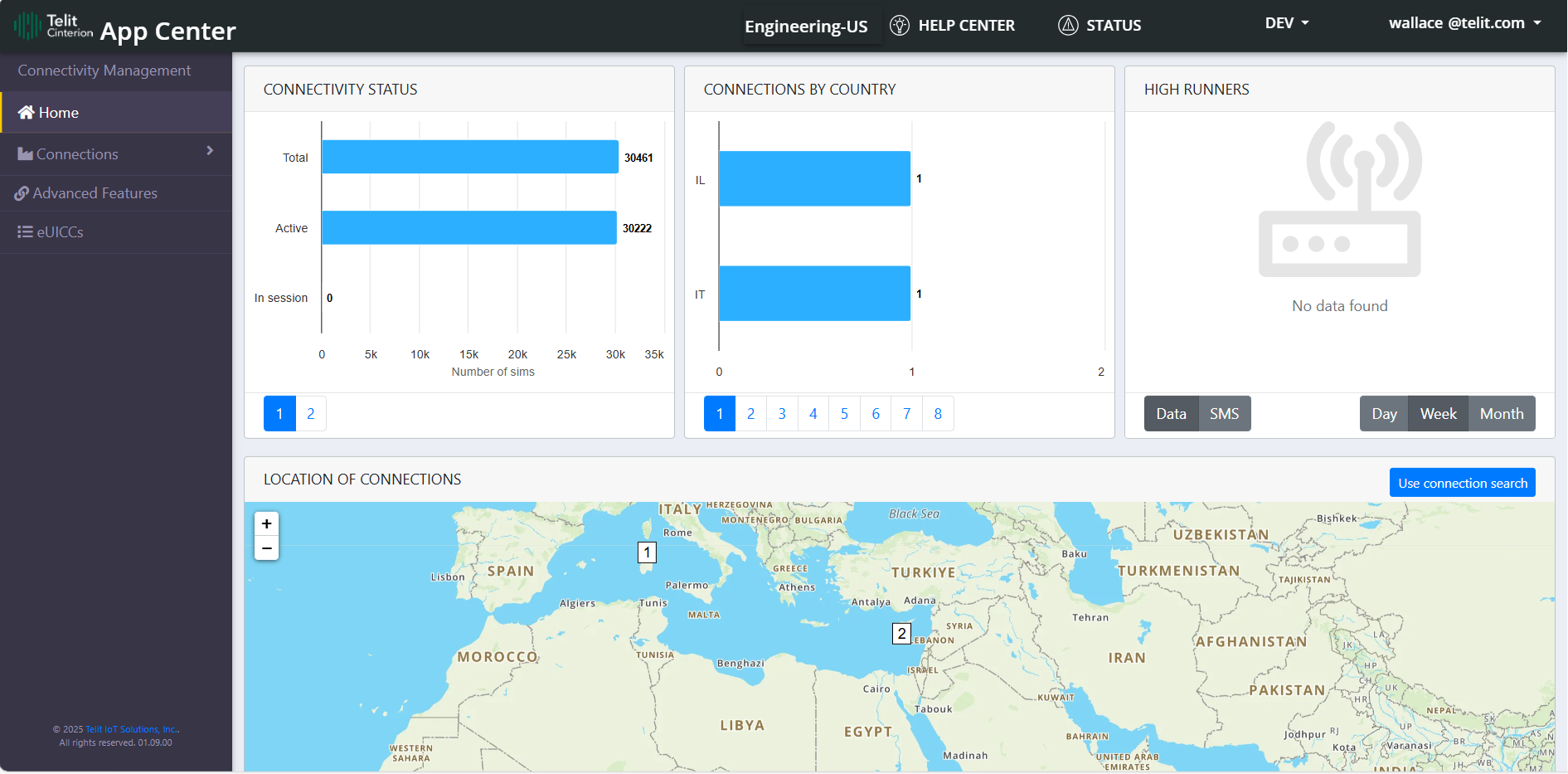
|
Item |
Description |
|---|---|
|
Card 1:
|
The Connectivity Status page shows the connectivity status for the devices, total device, active device and in-session devices. The Deployment Status page shows the device deployment status, meaning how many devices are activated, how many are deactivated, etc (in percentage terms). |
|
Card 2:
|
The Connections by Country page displays country wise connection count.
The Carrier page shows graph based on the carriers example: virtual cdp, at&t, etc
The Usage per Country page displays country wise data usage. The app here displays the 'usageMonthData', that is , it is showing the usage for current month, whereas when you see the usage for same connection in IOTP it can be more as it is showing the "last 30 days" usage which can include the data used in more than one month
The Connections by Carrier page displays carrier wise connection count.
The Usage by Carrier page shows data usage by carrier.
The 14 Days Trend page displays the last 14 days trend for data, SMS and session.
The Zero Session page displays the number of devices, within a certain time range, that had no data transmitted within a session.
The Not Connected for 30 days page shows how many SIMS are not connected for last 30 days. |
|
Card 3:
|
This shows the high runner graph for the 'data' and 'sms' for the current day, week and month. |
|
Card 4:
|
This shows the locations of the connection on the world map. Here user can search the connection by 2 ways: 1. Use connection aggregate 2. Use connection search |
What's Inside
This guide contains the following: