Logging enables the capture of events for a specific Devicewise component in a dedicated log file. This feature provides better traceability and troubleshooting for system administrators.
Logger List
A list of loggers is available for each Devicewise component. Each logger corresponds to a component or subsystem.
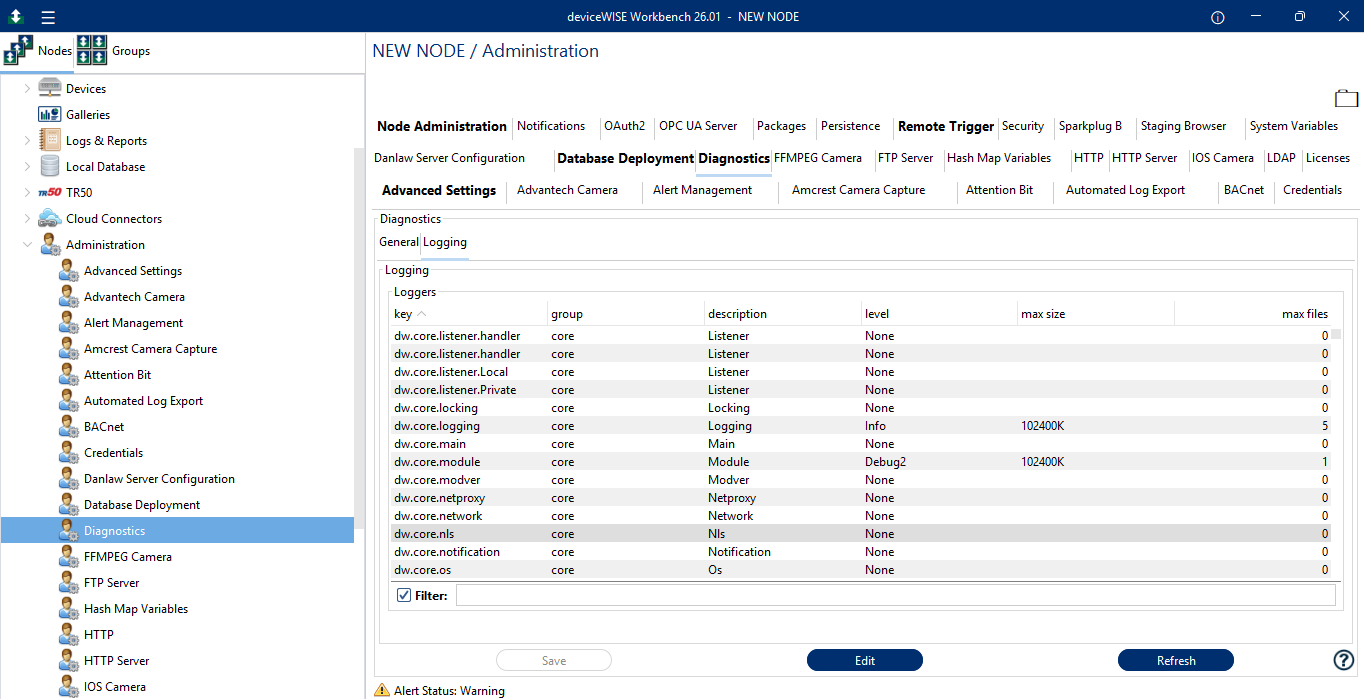
Logger Configuration
To configure logging for a component, do the following:
-
Locate the logger associated with the desired component in the logger list.
-
Click the Edit button to set logging configuration.
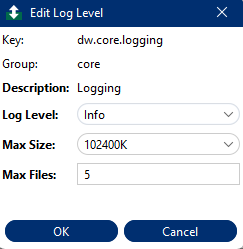
-
Click Ok to save configuration. After the log level is set, DWCore generates a new log file for the logger.
| Field | Description |
|---|---|
| Log Level | Set the minimum severity of messages to log. |
| Max Size | Specify the maximum size (in KB) for the log file before log rotation. |
| Max Files | Enter the maximum number of rolled-over log files to retain. |
The file follows this naming convention - <logger_name>.log
The log files are stored in the following directory - <DEVICEWISE_HOME>/Gateway/dwcore/logs