Use the Add Directory from Package
action to copy a directory and its contents from the
software update package to a specified directory on the
gateway.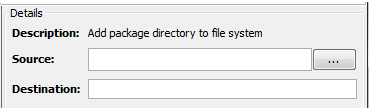
Parameters
| Name | Description |
|---|---|
| Source | The directory to add to the
gateway. Use the browse button to
select the directory from the Local
Directory specified in step 1 of
the Creating
a software update package
process.
Directories and files, when copied to the Local Directory using the Step 3: Staging Files step, have the option of maintaining their directory path relative to the staging directory on the gateway. |
| Destination | The name of the directory on
the gateway where the source directory
and its contents will be added
(copied).
|