Within the structure editor you can import a CSV file as structure definitions.
The CSV file should consist of a header line which defines the columns in the file, and a line for each variable to be defined.
Example CSV File:
Plant,Line,Machine,Name,Type
Plant1,Line1,Mach1,Current,Float
Plant1,Line1,Mach1,Run_Meter,Float
Plant1,Line2,Mach2,Current,Float
Plant1,Line2,Mach2,Run_Meter,Float
Plant2,Line3,Mach3,Current,Float
Plant2,Line3,Mach3,Run_Meter,Float
Plant2,Line4,Mach4,Current,Float
Plant2,Line4,Mach4,Run_Meter,Float
Importing the example above from the structure editor will result in the dialog:
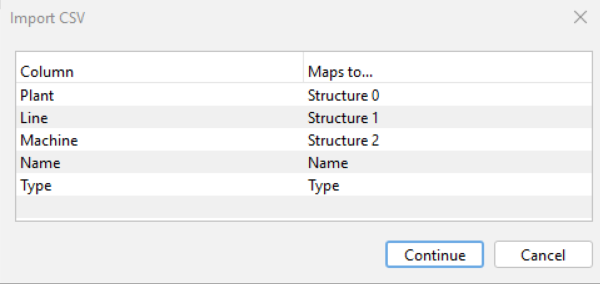
The Maps to… column is editable. In this example Plant, Line, and Machine columns define the structures, while Name and Type define the variable name and type in each structure.
Each structure level in the file must be a unique name regardless of level.
Clicking Continue will result in the following dialog:
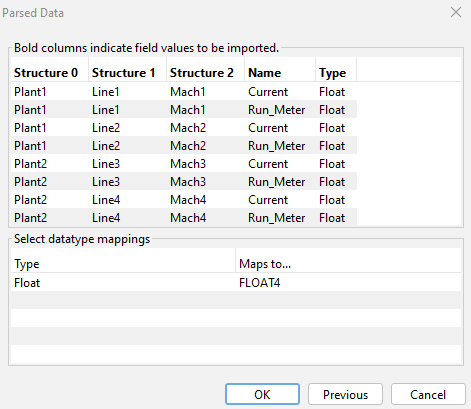
The detected data types can be mapped to deviceWISE data types. An attempt for appropriate mapping will be made, but the Maps to… column is editable and values may be changed. Clicking OK will define the structures.
An option will be given to define the root structures as variables. In this example, Plant1 and Plant2 would be the variables created.