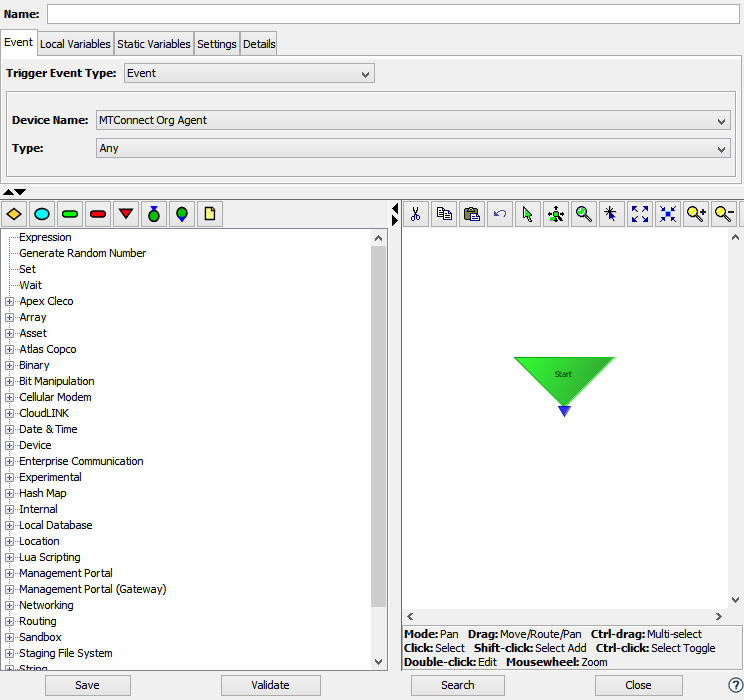
Selecting the Event trigger event under the MTConnect category will require the user supply the following parameters.
| Parameter | Description |
|---|---|
| Device Name | Select a MTConnect device. |
| Type | Select the MTConnect event type to
associate to this trigger. The Any
option can be used to fire a trigger
whenever any event is encountered. A
specific event can be selected from the
following list.
|
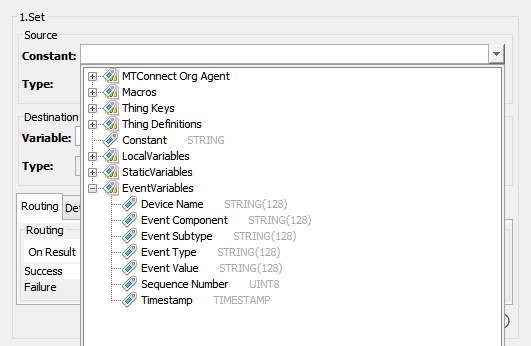
The event variables available to a trigger when a MTConnect Event trigger is executed are shown below.
| Event Variable Name | Description |
|---|---|
| Device Name | The name of the device being monitored by the MTConnect agent that has reported the condition. |
| Event Component | The component on the tool that has experienced the event. |
| Event Subtype | The subtype of the event. |
| Event Type | The type of the event. |
| Event Value | The event value. |
| Sequence Number | The sequence number reported by the tool for this event. |
| Timestamp | The timestamp when the event occurred on the tool. |