This page describes how to specify a default listener map for a listener. A default listener map allows a user to specify a listener map that will be used to process a received payload when all configured methods of establishing a listener map have failed. You can also choose to specify a default listener map instead of configuring a payload specific listener map identification mechanism like a Listener Map Key ( JMS ) or a Listener Map offset (ASCII).
All listener types support the concept of a default listener map.
Important
The default listener map that you specify should be able to process the payload type that the listener will receive. Otherwise the request will not be processed correctly. For example, If the default listener map expects an XML payload and the listener is receiving an ASCII delimited payload the request will be rejected as an incompatible payload.
Assumptions
The following is assumed:
- You are familiar with configuring a Listener and a Listener Map.
- You are familiar with the Listener payload formats like XML, ASCII, Map, Custom and XSD.
- You have a workbench that is accessing a node
Procedures
In order to specify a default listener map, follow these steps:
- From the Workbench left pane, expand the node that
you want to add the listener to.
- Expand Enterprise, right-click the
Listeners icon to display its pop-up
menu, and then click New.
The Listener window appears. - Use the Name box to type a unique
name for the listener. The name can be up to 64
characters in length and can include letters, numbers,
and the underscore character. Spaces are not
allowed.
- Click the Listener Type down-arrow, and then select a
listener type (for this example a JMS listener).
- Click the Payload tab.
- Use the Format down-arrow, and
then select the format type (for this example,
Map).
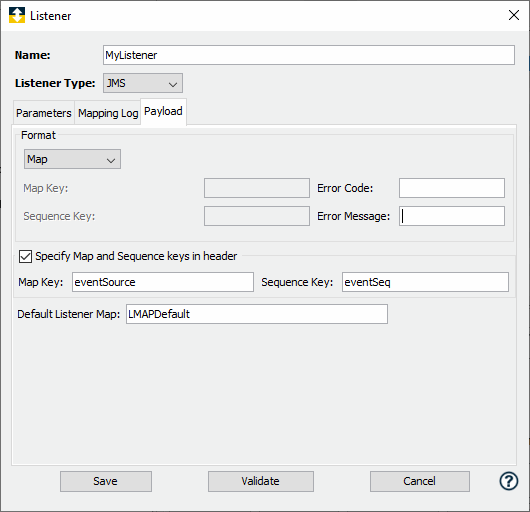
- In the Default Listener Map box, type the name of the listener map that you want to use.
| Parameter | Description |
|---|---|
| Default Listener Map | Specify a valid listener map name. The listener map should be able to process the payload type that is being received. For example,if you have configured a listener to receive a JMS map message then the default listener map should be configured to process a JMS Map payload. |
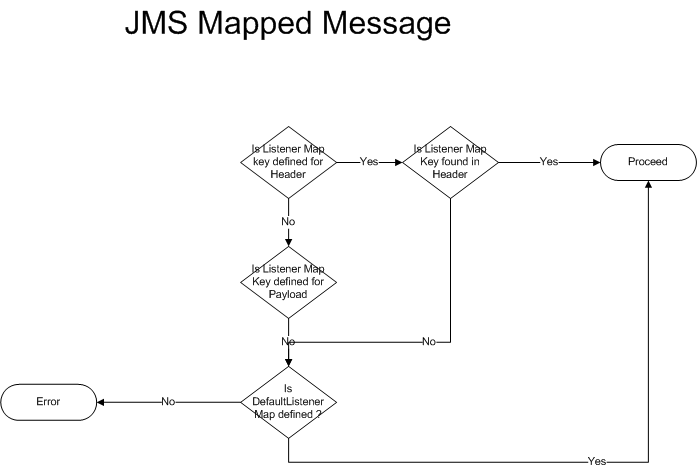
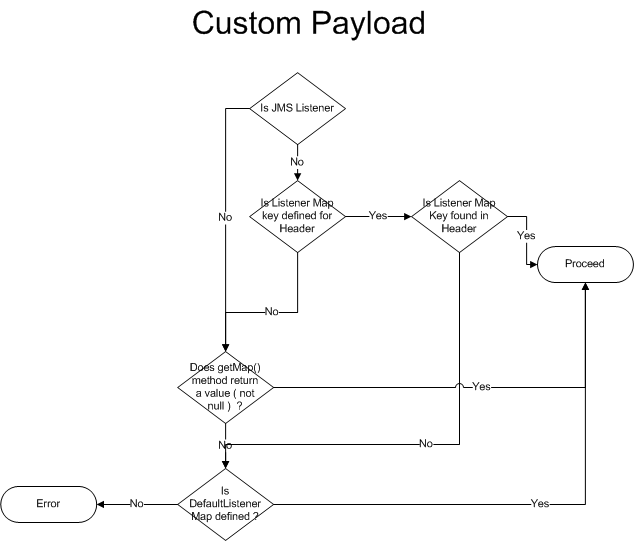
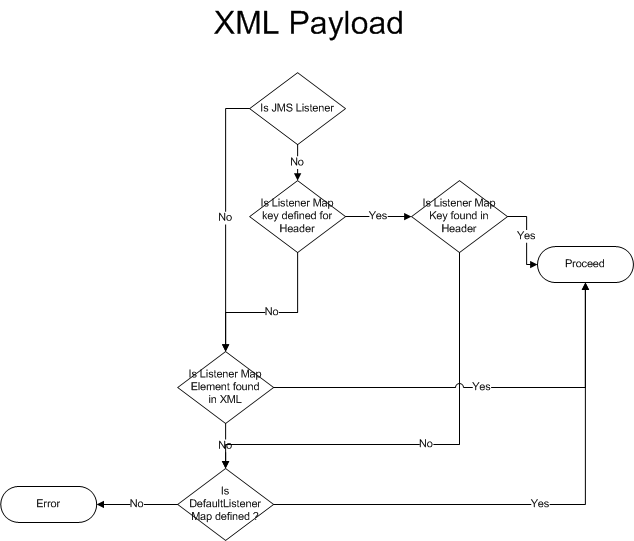
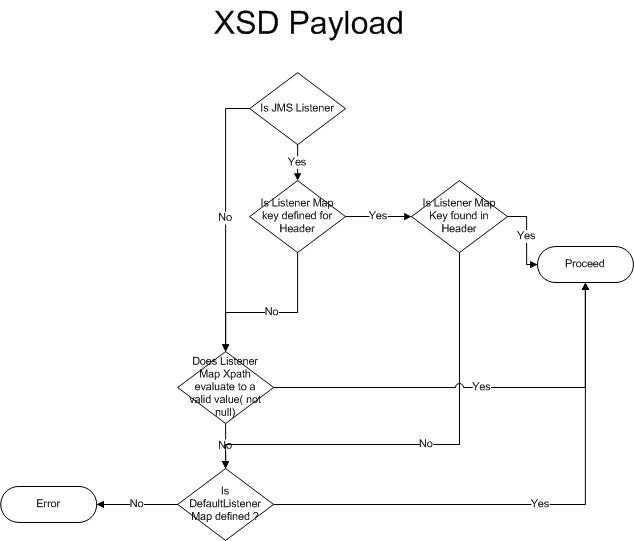
The following flow charts illustrate how a default listener is used to process a payload.