This section describes how to add a database transport
to a transport map and configure the map variables and
payload.
- From the Workbench left pane, expand the node that
you want to add the transport map to.
- Expand Enterprise, right-click the
Transport Maps icon to display its
pop-up menu, and then click New.
The Transport Map window appears. - Name the transport map as appropriate, and then set
the Version Mismatch option to either
Pass or Fail.
- From the Transport Map window, next to
Transport, click the down arrow.
A list of pre-defined transports appears. - Select the transport whose database you want to
connect in.
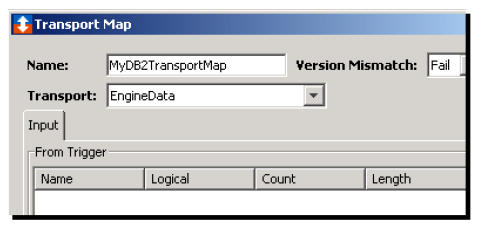
The following shows a partial view of the Transport Map window when a database transport is selected.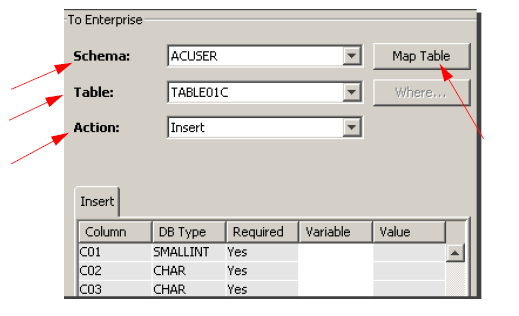
For this example, the To Enterprise title appears because the window defaults to an Insert operation.