The Alarm pie chart widget is used to display a pie chart of alarm statuses for a particular Thing and alarm.
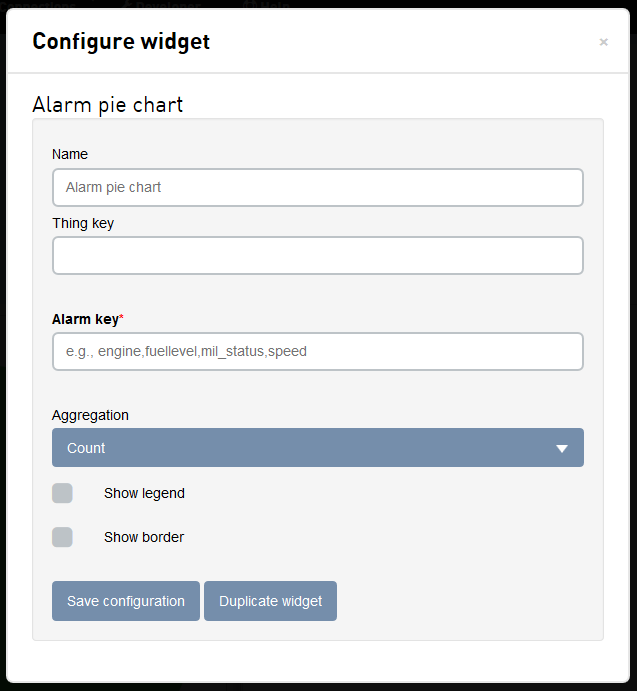
| Field | Description |
|---|---|
| Name | The name of the widget, shown at the top of the widget. |
| Thing key | The Thing key this widget should respond to. If left blank, the widget will inherit the Thing key from the dashboard. |
| Alarm key | The key of the alarm to be shown by this widget. |
| Aggregation |
What aspect of the alarms should be grouped together.
|
| Show legend | If a legend should be displayed at the bottom of the pie chart. Clicking on the color in the legend will toggle if that slice is displayed in the chart. |
| Show border | If the widget should have a border around it. |
Interacting with the widget
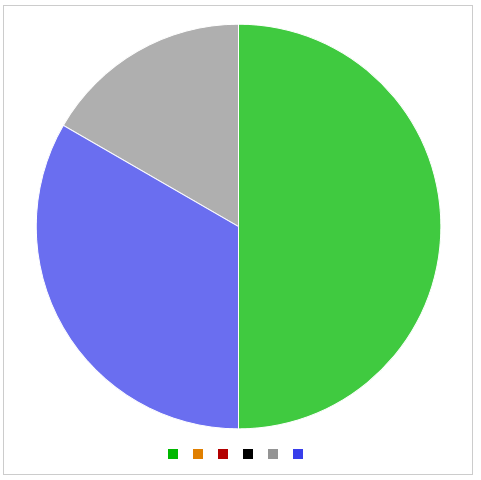
- When you mouse over a slice, the pie chart will highlight that slice and display the name of the alarm and pertinent values specific to that alarm.
- If you are displaying the legend, moving the mouse over a color in the legend will highlight that slice. Clicking on the color in the legend will toggle the slice on and off in the chart.