Deleting Campaign Templates
To delete a Campaign template or a group of Campaign templates, follow the procedure below:
- From the Developer main
screen in the GENERAL group,
click Campaigns.
The Campaigns screen appears. - click on the
Templates tab
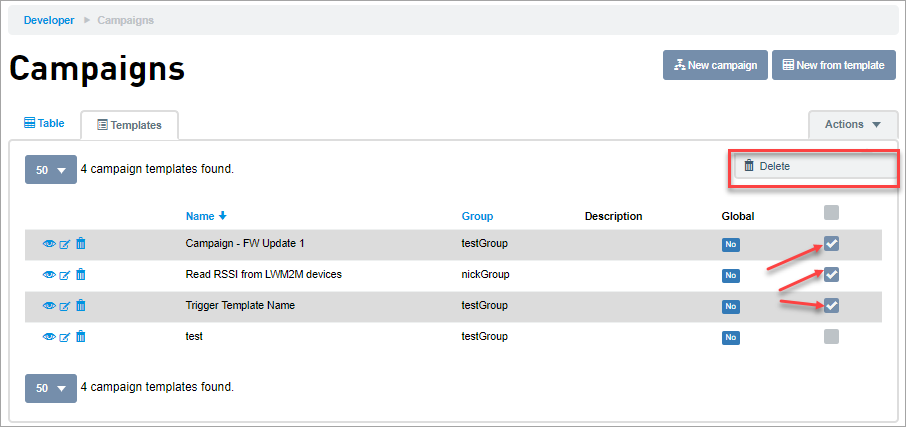
- To delete multiple Campaign templates:
- Select the Campaign templates you want to delete
- Click Actions >>
Delete
- Click OK on the
confirmation screen to delete the
selected Campaigns.
 Related Topics