Verifying the Asset Gateway is connected to the deviceWISE Cloud
To verify that the Asset Gateway is showing up in your organization within the deviceWISE Cloud.
- Open a browser and navigate to the Management
Portal, for example, https://portal.telit.com.
- Log on with your account (Email address) and
password.
The Overview page appears. - Select the Things tab to display
the Things page. Then select the "view" icon for the
gateway. For this example, the
Thing Key is the MAC address of the
gateway.
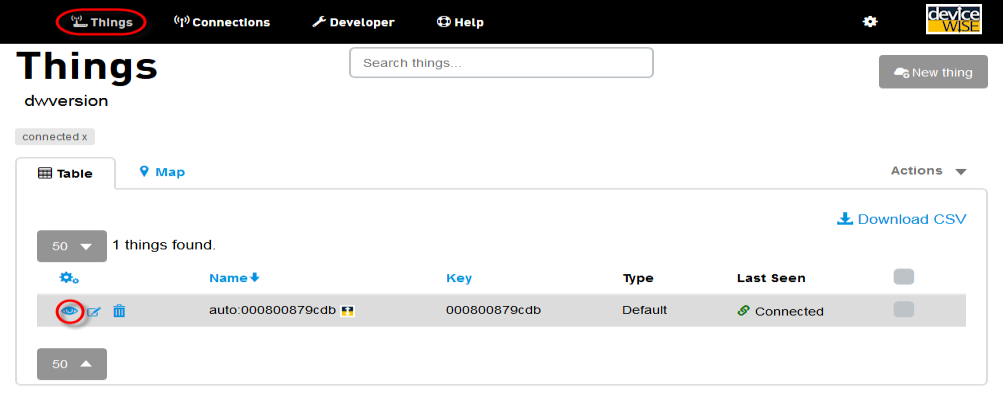
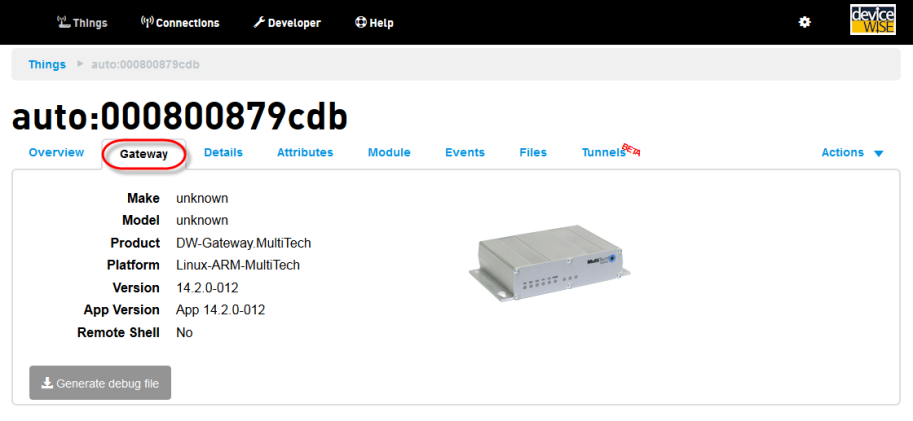
- The information for the gateway is displayed in the
tabs, such as Overview, Gateway, Details, Attributes,
etc.
You have completed Part 2
Continue with Gateway Part 3 - Sending data from an Asset Gateway to the Management Portal.