Installing the Estic driver package also installs a set of trigger actions that further the interaction with the Estic controller. The trigger actions allow your application to manage Estic controller settings. A new Estic category will be part of the list of trigger actions available in the trigger Canvas Editor and the trigger List Editor.
The details of creating a trigger can be found in the section Defining a trigger.
The example below shows the trigger Canvas Editor with
the Estic category of actions shown on the
left.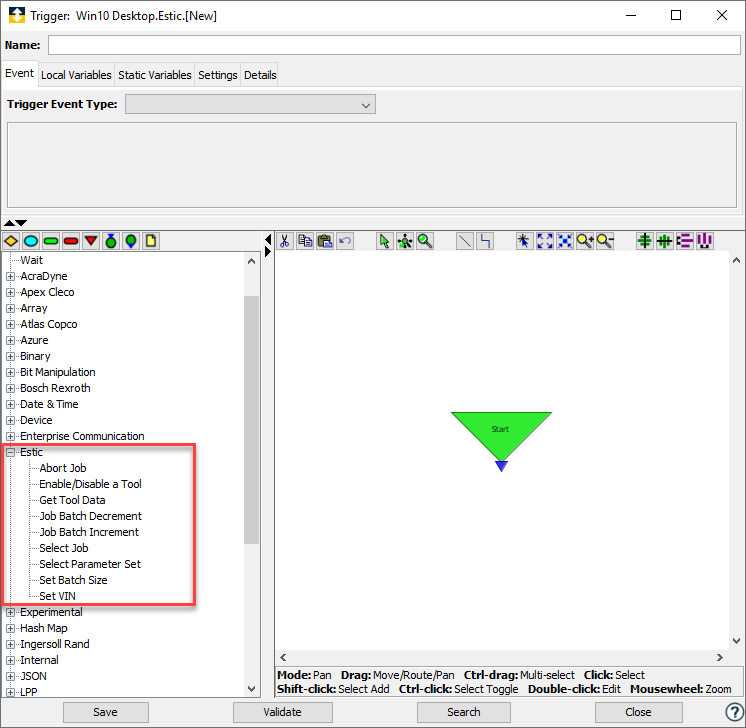
The following sections provide the details of the trigger actions that are available when the Estic package is installed on a node.