The Control TR50 Connection action
controls the TR50 connection state.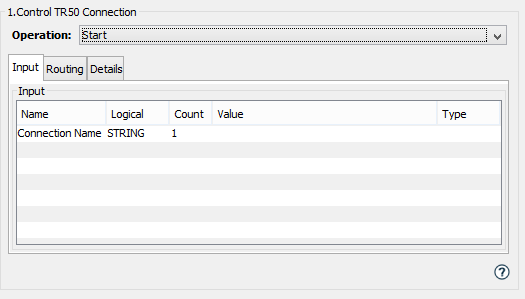
The Control TR50 Connection action is similar to using the Start or Stop buttons from the TR50 Connection Management tab.
One example use is:
- Stop the TR50 connection using this Control TR50 Connection action
- Change some of the TR50 connection parameters using the Set TR50 Connection action
- Start the TR50 connection using this Control TR50 Connection action.
Parameter description
| Parameter | Description |
|---|---|
| Operation | The options are:
|
Input tab
| Name | Description |
|---|---|
| Connection Name | The TR50 connection name of the
connection to perform this action
on.
(Optional) If not specified, the name of the connection used is Default. |
 Related Topics