SMART START: Configuring Email Server
The SMART START: Andon Messaging Board template application leverages the host SMTP server to enable email notifications. To enable this, actions in the several triggers must be modified. Using the deviceWISE Workbench, navigate to the ‘Projects’ tab from the left panel drop-down menu of your deviceWISE node. Edit the following triggers:
-
Project: Andon
-
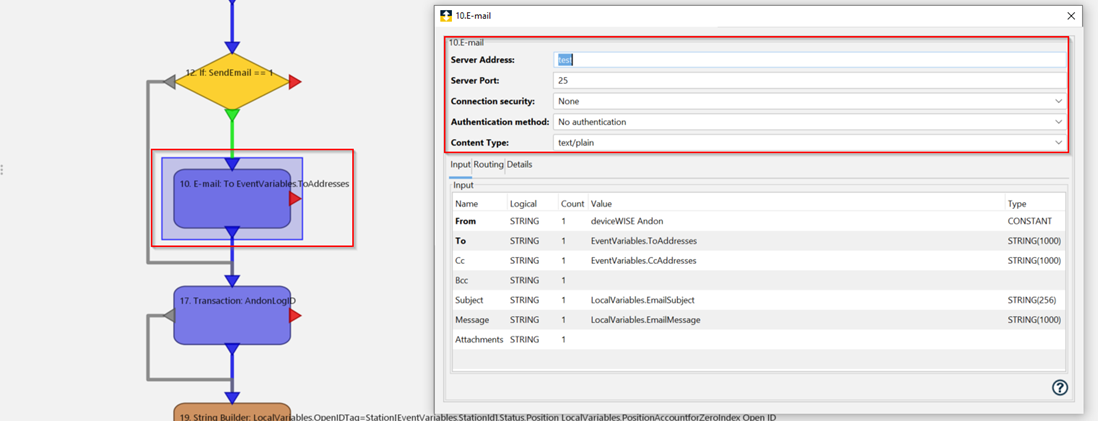
Trigger: st_LogAndonSignal
- Change: Update the ’10. E-Mail’ action to include your SMTP server address, port, and authentication details.
-
Project: Andon
-
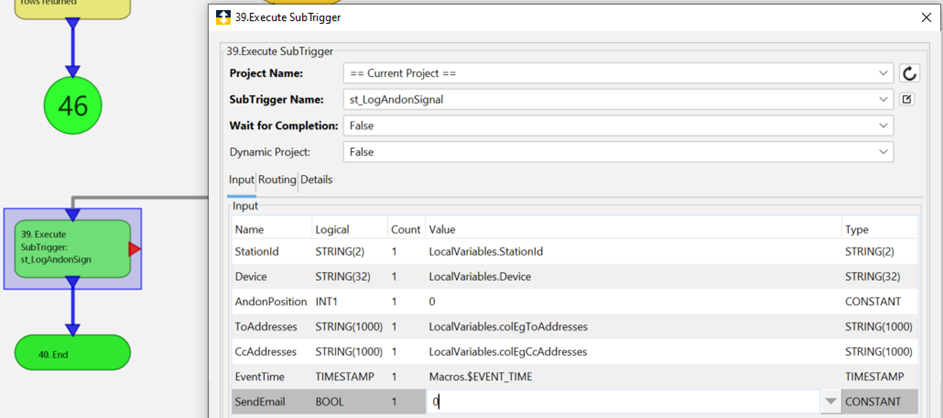
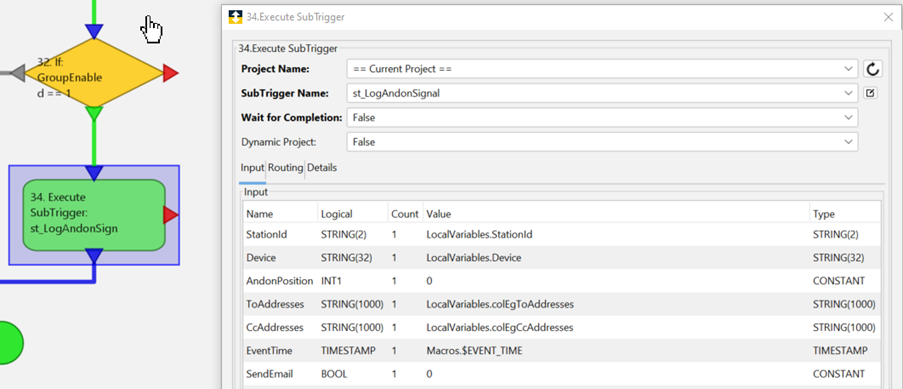
Trigger(s): trg_Position(1-5)AlertViaEmail
-
Change: Edit action ’39. Execute SubTrigger’ by changing the ‘SendEmail’ value to one (1) instead of zero (0).
-
-
Change: Edit action ’34. Execute SubTrigger’ by changing the ‘SendEmail’ value to one (1) instead of zero (0)
For more information regarding the installation of the deviceWISE Gateway, the deviceWISE Workbench, or for further reference content and up-to-date information regarding deviceWISE VIEW, please visit our specific View Documentation.
To download the deviceWISE VIEW Cookbook document detailing how to install, configure, and build your own displays using deviceWISE VIEW, please visit this linked page.