You will be able to change your Rate Plan while Viewing a Connection. To change the Rate Plan, do the following:
- In the Viewing a Connection, click Actions >> Change rate plan
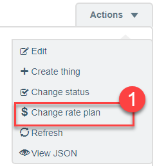
Change rate plan screen appears - Choose the CDP Config from the Config drop-down

- Select the Network from the Network drop-down. The networks available for the CDP config are listed in the drop-down
- Select the new Rate plan from the Rate plan drop-down. The list shows the Rate plans available for the CDP config/Network selected. Some CDP Configs does not require a network to be selected.
- Click Update
The Connection gets updated with the new rate plan.
 Related Topics