The Configuration Import action imports previously exported application definition and system configuration information, such as projects, triggers, devices, transport maps, transports, network configuration, security configuration, etc.
For information on a complete node Back Up and a node Restore, see Backing up and Restoring a node's configuration.
For information on the Import and Export function for items, see Exporting a project or trigger.
Parameter descriptions
| Parameter | Description |
|---|---|
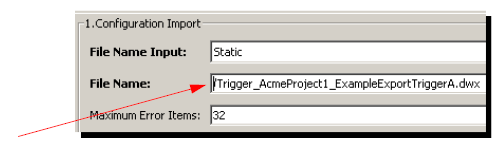
| File Name Input | The options are:
|
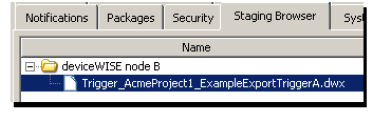
| File Name | Available when the File Names option is Static. This is the complete path and file name of a previously exported system Export file (.DWX). You can type the path and file name, or use *Browse. If you click Browse, the Staging Browser window appears. |
| Maximum Error Items | Sets the maximum number of error messages stored for a failed Import. Works in conjunction with the Output tab Failed Items parameter. Setting the number too high might cause performance problems. |
| Start Imported Item(s) | The options are:
|
Input tab (Dynamic)
Available when the File Names option is Dynamic.
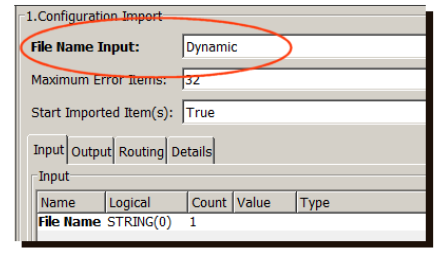
| Parameter | Description |
|---|---|
| File Name | The path and file name in the Staging Browser area of a previously exported system Export file (*.DWX). |
Output tab
The Output tab is the same for Dynamic and Static options.

| Parameter | Description |
|---|---|
| Failed Items | An array of strings to store the
error messages that describe an item
that failed during import. The maximum number of error messages to store is determined by the Maximum Error Items parameter. |
| Success Count | The number of successfully imported items. |
| Failure Count | The number items that filed during import. |
Example Configuration Import action
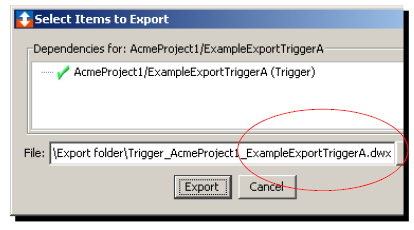
The Configuration Import action imports previously exported application definition and system configuration information into a node. To understand the process, the following scenario is used:
- There are four nodes: A, B, C, and D.
- Node A has a trigger that needs to be distributed
to nodes B, C, and D.
The following describes the export and import process for this scenario.
| From node A: |
|
| From nodes B, C, and D: |
|